ECU BIN Files: How to View Car Engine Software Files
Got a .bin file right now?
Open it free in your browser. See the real file type, hex, text and preview in seconds. Nothing is uploaded.
Open your BIN fileIf you work on cars, or you just had your car’s engine software read, you may have an ECU file ending in .bin. It might be called ori.bin, stock.bin or carry the car’s software number in its name. What is in it, and how can you look at it?
This guide explains the ECU BIN file in simple terms. You will learn what the file holds, how to view it safely, how to identify the software version and why careful handling matters. It is written for car owners, students and new technicians.
What is an ECU?
ECU stands for Engine Control Unit, sometimes called ECM. It is a small computer that runs the engine. It reads sensors, like air flow, throttle position and temperature, and controls fuel injection, ignition timing and boost on turbo engines.
Modern cars have many control units: for the gearbox, brakes, airbags, body electronics and more. Each runs its own software. When people say “ECU file”, they usually mean the engine unit’s software.
What is an ECU BIN file?
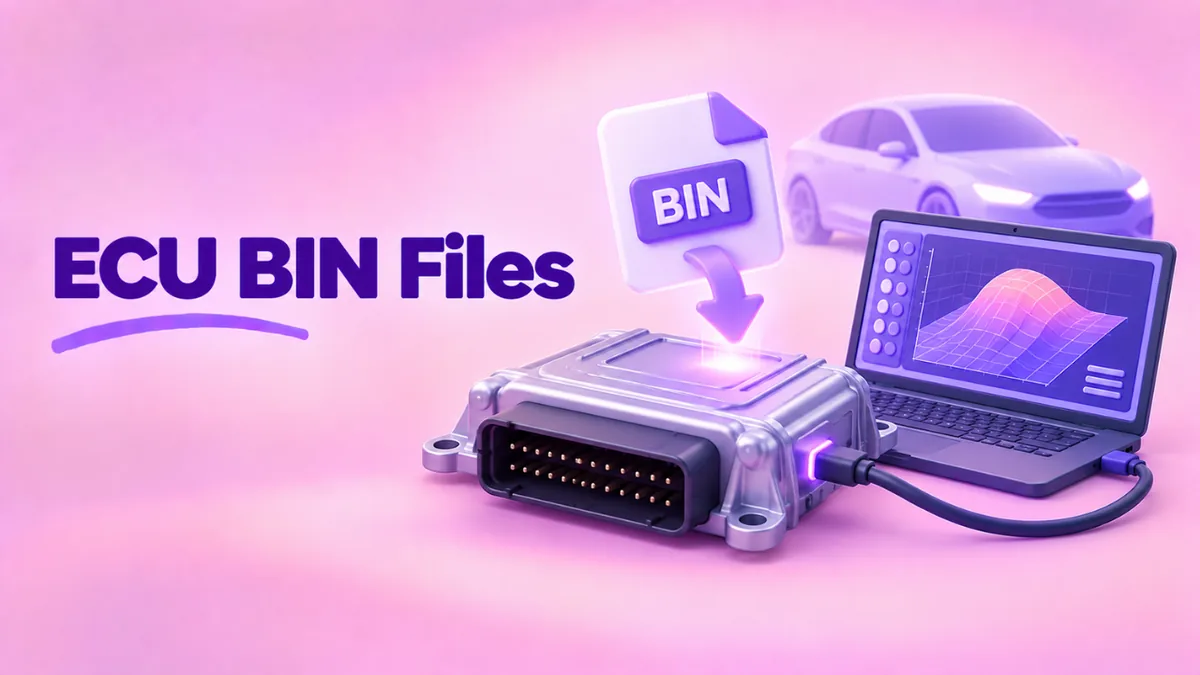
An ECU BIN file is a copy of the data stored in the control unit’s memory. It is created with a reading tool, either through the car’s diagnostic port or by connecting directly to the unit on a bench.
The file usually contains:
- Program code. The software that runs the engine logic.
- Calibration data. Tables of numbers, often called maps, that set how the engine behaves. For example, how much fuel to inject at a given speed and load.
- Identification. Software numbers, hardware numbers and sometimes the vehicle identification number, or VIN.
- Checksums. Values the unit uses to check that its data has not been damaged.
Depending on the tool, you may get a full read of the whole memory or a smaller read of just the calibration area. Full reads are often several megabytes. Calibration-only reads can be much smaller.
How to view an ECU BIN file
- Open our free BIN file opener.
- Drop in the file. It is processed on your computer and not uploaded. That matters, because ECU files can include your VIN.
- Note the size and SHA-256 in the summary. Save these with the file.
- Open Text strings and set the minimum length to 8.
- Search for the software or part number printed on the ECU label, the car brand or “VIN”.
Most ECU files have readable identification strings near certain areas. Finding the software number confirms exactly which version you have. This matters when you need updates, replacements or support.
Why you should always keep the original file
The first read from a car is called the original or stock file. It is the most valuable file you will ever have for that car. Keep it safe, for several reasons:
- If anything goes wrong with later software, you can return the unit to factory state.
- Dealers and inspections may need the car to run original software.
- Selling the car is easier with standard software.
- It proves what the car shipped with.
Store it in two places, with its SHA-256 written down. If the checksum still matches years later, you know the file has not changed.
What the hex view tells you
Open the Hex view and scroll. You will notice different areas:
- Dense, varied bytes are usually program code.
- Regular patterns of numbers that rise smoothly are often calibration tables. Values that change step by step across rows suggest a map.
- Large runs of FF are empty memory.
- Readable text in the ASCII column is identification data.
Specialist tuning software can display calibration tables as 2D and 3D graphs, which makes them much easier to understand. A plain hex viewer is still useful to identify a file, check its version and compare two files byte by byte.
Comparing two ECU files
Want to see what changed between two files, like a stock read and a file from a workshop? Compare them:
- Open each in our tool and compare the SHA-256. Identical values mean identical files.
- If different, export a hex dump of each from “Convert & save”.
- Run
fc /b stock.bin modified.binon Windows orcmp -l stock.bin modified.binon Mac and Linux to list every changed byte.
A handful of changes in one area is typical of calibration edits. Changes spread everywhere may mean a different software version altogether. This is a quick way to understand what a workshop actually did to your car.
Why checksums matter in ECU files
ECUs check their own data with checksums when they start. If the data does not match the checksum, the unit may refuse to run the engine. This is a safety feature that protects against corrupted memory.
It also means that a file changed by hand, without the right checksum update, can leave a car unable to start. Professional tools handle this automatically. It is one of many reasons ECU editing belongs with trained people using proper equipment.
Legal and safety points
Car software controls emissions, safety and reliability. Before anyone changes an ECU file, know the rules:
- Emissions systems. Removing or disabling emissions controls, such as particulate filters, EGR systems or catalytic converter monitoring, is illegal for road use in many countries, including across the EU, the UK and the US.
- Insurance. Many insurers require you to declare engine software changes. Not telling them can void your cover.
- Warranty. Changing software can end the warranty on the engine and gearbox.
- Inspections. Some roadworthiness tests check the software and emissions.
- Safety. Bad calibration can damage the engine or cause it to behave unpredictably.
Viewing and backing up your ECU data is fine. Changes should only be made legally, by qualified people, with the stock file kept safe.
Common ECU file situations
Replacing a faulty ECU
A replacement unit may need the software and coding from the old one. Workshops read the old unit and write the data to the new one. Checking both files in a viewer confirms the software numbers match.
Software updates from the dealer
Manufacturers release ECU updates to fix faults. A dealer flashes these with factory tools. Comparing software numbers before and after tells you which update was applied.
Buying a used car
If you suspect the engine software was changed, a workshop can read the file and compare it with the known stock version for that car. Differences show something was modified.
Learning
Students and enthusiasts use ECU files to learn how engine management works. A hex viewer is a good first step. It shows the structure of the data without any risk to a car.
What file sizes tell you
ECU memory sizes depend on the processor. Older units may be 512 KB or 1 MB. Many modern units hold 2 MB to 8 MB or more. A read that is much smaller than expected may be a calibration-only read, or it may have failed. A read made of mostly FF or 00 bytes usually means it did not work. Always check before trusting a file.
A real example
Saad buys a used hatchback. The engine light comes on, and the dealer says the software is not the expected version. A workshop reads the ECU and gives him the file. Saad opens it in our BIN file viewer and searches the strings for the software number. It is different from the number on the factory label. The workshop compares it with the stock file for that model and finds the calibration was changed. They restore the correct factory software, and the engine light goes off. Saad keeps both files and their SHA-256 values for his records.
Related guides
- Firmware BIN files explained: how device software is built and installed.
- Check the firmware version in a BIN: find software numbers fast.
- BIN to HEX: compare two files byte by byte.
- BIOS BIN files: chip programmers and dumps.
Frequently asked questions
How do I open an ECU .bin file?
To view it, use a hex viewer like our free online BIN file opener. To see calibration maps as graphs, professionals use dedicated tuning software.
Can I read my car’s ECU myself?
It depends on the car and needs a compatible tool. Many workshops offer reads. Always keep the original file.
Is my VIN in the ECU file?
Often, yes. Treat ECU files as private and do not upload them to unknown websites.
Why will my car not start after a flash?
The file may be damaged, the checksum may be wrong or the software may not match the hardware. Restore the original file with the same tool.
Can a hex viewer change my ECU?
No. A viewer only reads the file on your computer. It has no connection to the car.
Conclusion
An ECU BIN file is a copy of the software and settings that run your engine. You can view it safely with our free BIN file opener to find software numbers, check size and integrity and compare it with another file. Keep the original file safe, respect the laws on emissions and leave changes to qualified people. For smaller chips in car modules, see EEPROM BIN files.